


Once the Calcutta has been conducted a return must be submitted within the timeframe stipulated on your permit via your online account.
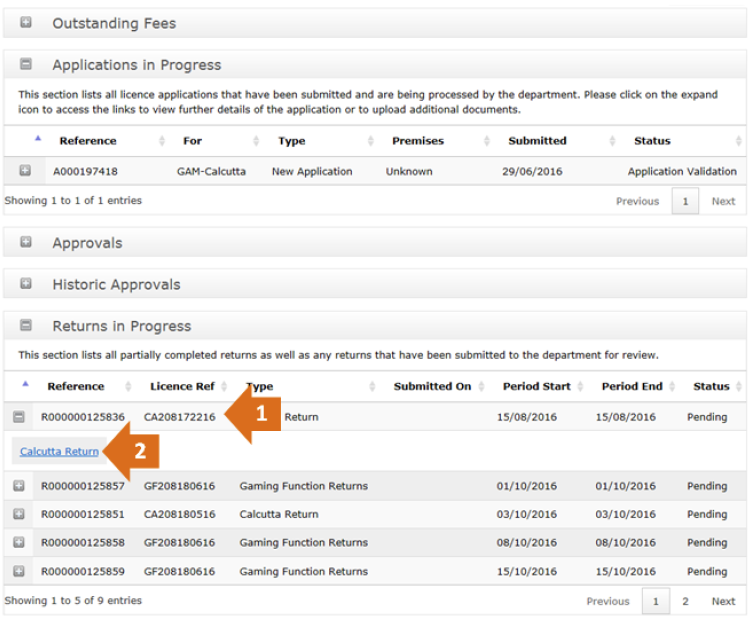
Sign into your online account and locate the section on Returns in Progress. Refer to the Calcutta Permit Application Lodgement.
Guide for information on how to access your account.
- Locate your recent application and click on the ‘+’ symbol to expand the approval.
- Click on Calcutta Return to start your return
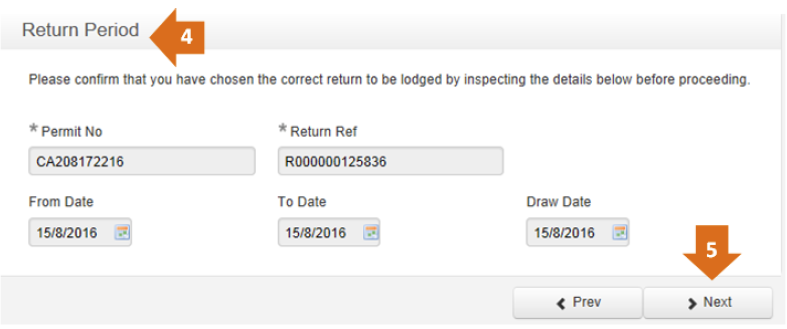
3. This is the Calcutta Return form. It looks similar to the original application form. This form is navigated the same as the previous forms.
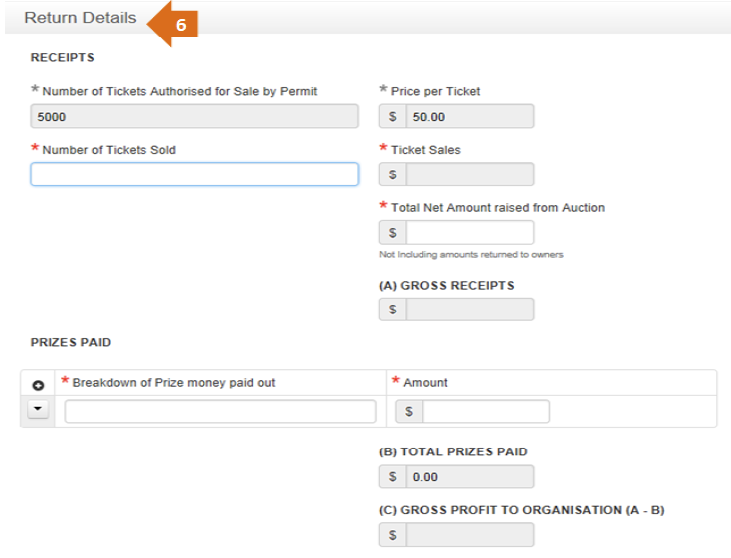
6. Return Details.
- Here you indicate the number of tickets sold, the Net Amount raised from Auction, Prizes Paid and any additional expenses.
- The fields at the bottom of this page will auto-fill for you.
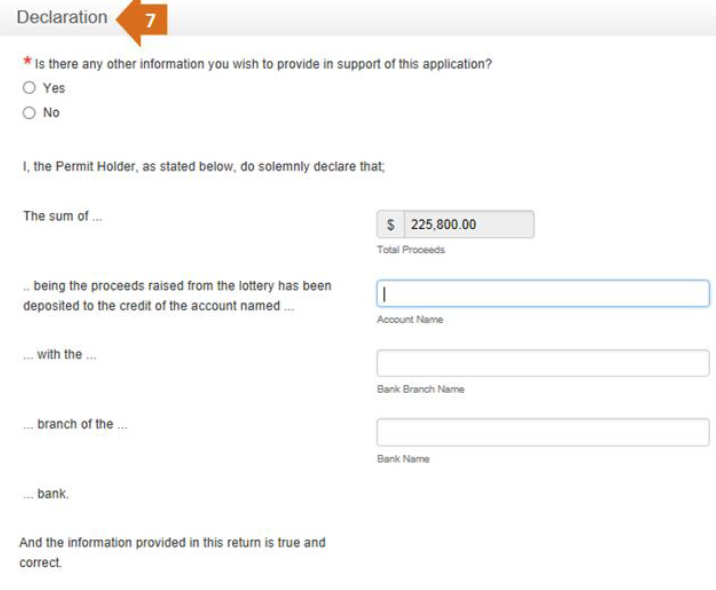
7. Declaration. Complete the declaration page below.
Submitting the return
Once the form is completely filled out you can click on Submit to finish and submit the form.

Click on Continue to return to the My Accounts page.
On the My Accounts page you can view the details of all your previous Approvals and Returns.
