


Once the lottery has been conducted a return must be submitted within the timeframe stipulated on your permit via your online account.
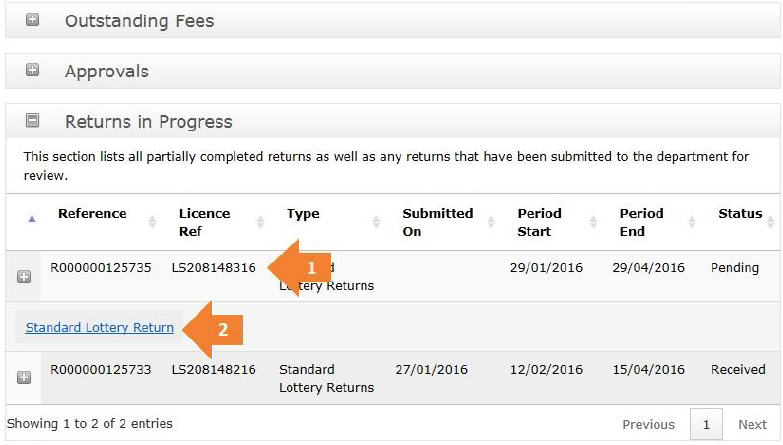
Sign into your online account and locate the section on Returns in Progress. Refer to the Standard Lottery Permit Application Lodgement Guide for information on how to access your account.
- Locate your recent application and click on the ‘+’ symbol to expand the approval.
- Click on Standard Lottery Return to start your return.
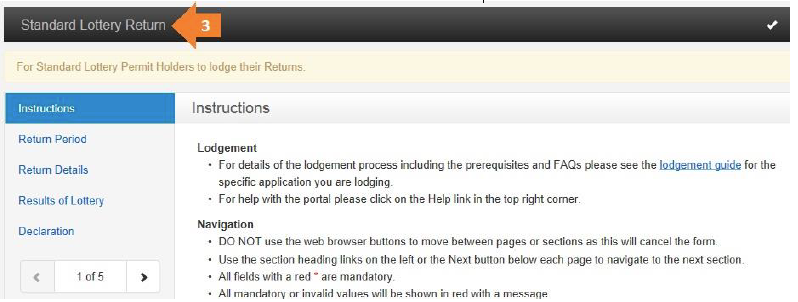
- This is the Standard Lottery Return form. It looks similar to the original application form. You navigate this form the same as the previous forms.
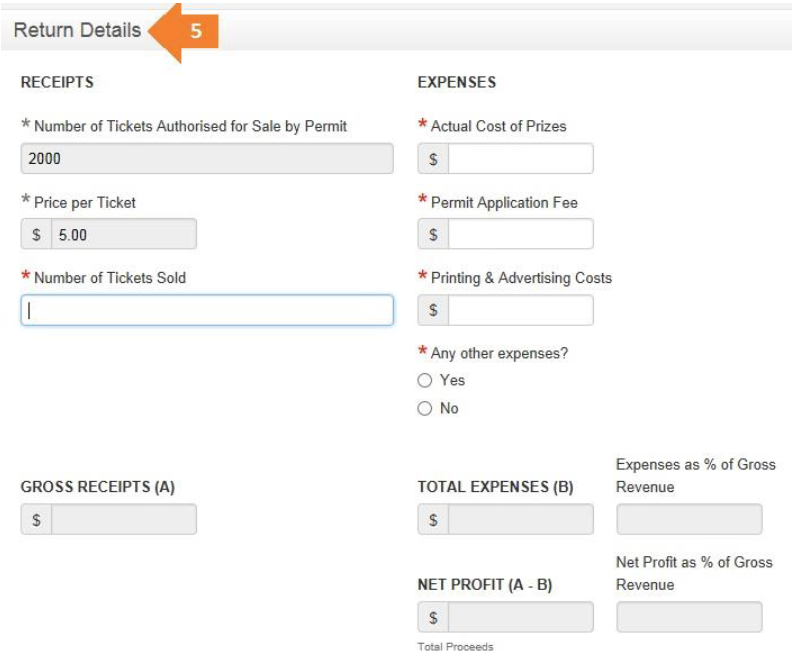
- Return Details.
• Here you indicate how many tickets you sold and the final costs.
• The fields at the bottom of this page will auto-fill for you.
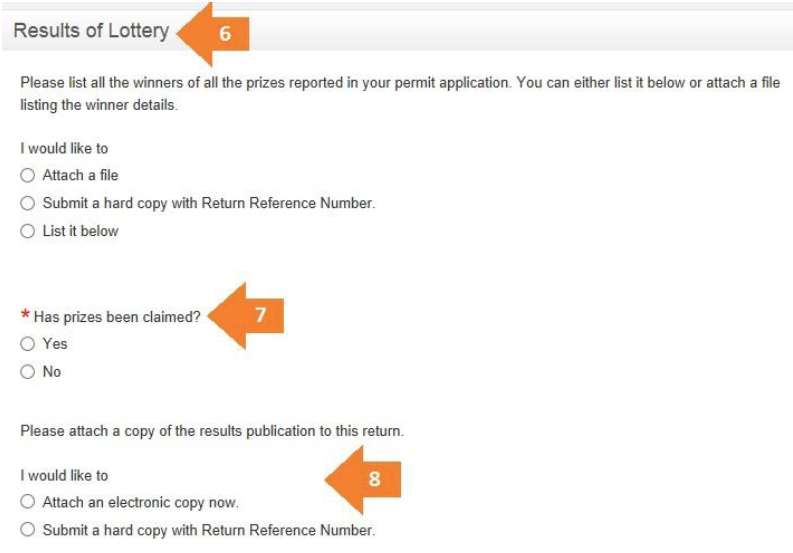
- Results of Lottery.
• You will be required to attach information about all the winners.
• If you choose to list the winners you can fill out the table provided.
- If the prizes have been claimed click Yes.
• If No, then explain why and what actions have been taken to contact the winner.
- You can attach or send in a copy of the results publication.
- Declaration. Complete the declaration as per the fields below.
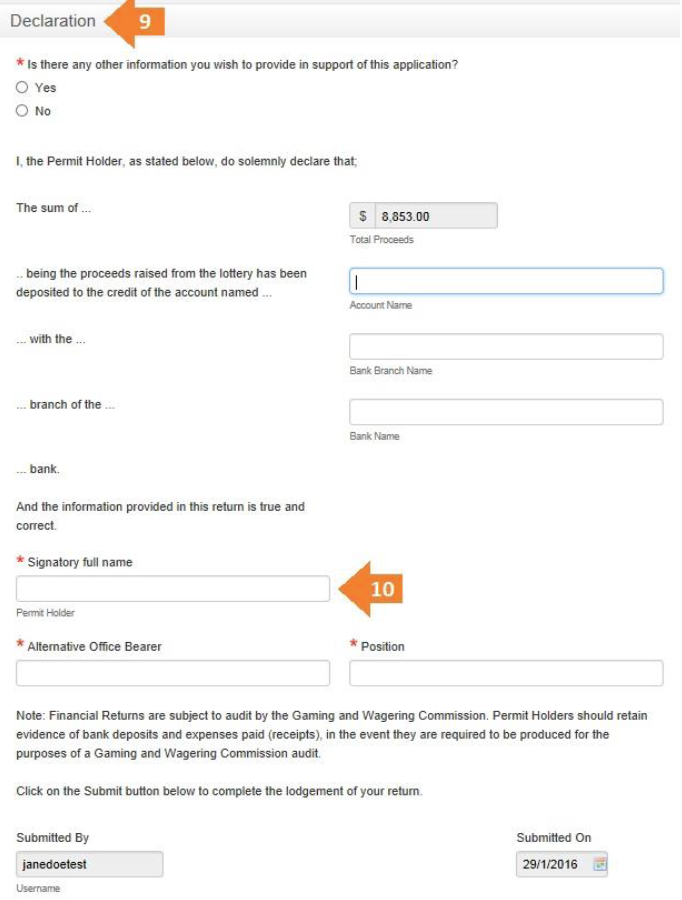
Submitting the return
Once the form is completely filled out you can click on Submit to finish and submit the form.

Click on Continue to return to the My Accounts page.
On the My Accounts page you can view the details of all your previous Approvals and Returns.
