


IWD 2026 downloads
Social media
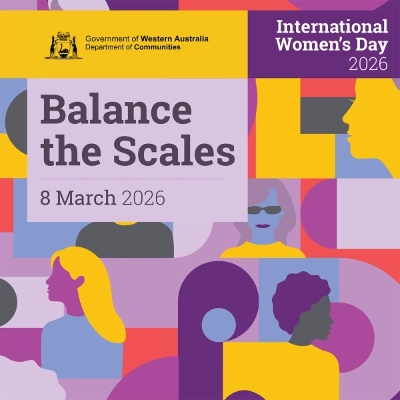
- Download the zip file below to use the social media tile for your IWD social media campaign.
- Use the hashtags #IWD2026 #BalanceTheScales
- Here’s an example of a message you can use on International Women’s Day:
We recognise International Women’s Day on 8 March annually, and this year’s theme is Balance the Scales. This theme reflects the desire that every woman and girl – regardless of background or identity – should be safe, heard, and free to shape her own future. This International Women’s Day, we can all play a part in balancing the scales, as it reminds us that when women and girls stand equal, families are stronger, workplaces are fairer, communities thrive, and society becomes safer for everyone.
Everyone has a responsibility to ensure women and girls are given equal opportunity to build their capabilities and strengthen their capacity to learn, earn and lead. For more information, visit www.communities.wa.gov.au/iwd
#IWD2026 #BalanceTheScales
For more messages, visit our ‘Key facts, statistics, and messages’ - About section.
Email signature block
Download the zip file below and use the campaign signature block by inserting it into your email signature settings.
- Open a new email message
- On the 'Message' menu, select 'Signature' then 'Signatures'
- On the 'E-mail Signature' menu, select 'New' to create a new signature, and give this signature a name
- Type your email signature in the 'Edit signature' panel. Here you can change how your signature displays (e.g. font, font size)
- Copy the IWD campaign signature block image, and paste into the 'Edit signature' panel where you want it to appear. Alternatively, select the Image icon in the 'Edit signature' panel. Locate your image file, and select 'Insert'.
- (Optional) Click on the signature block image, then click on the hyperlink button and insert www.communities.wa.gov.au/IWD
Posters
Download the IWD posters below:
Edith Cowan factsheet
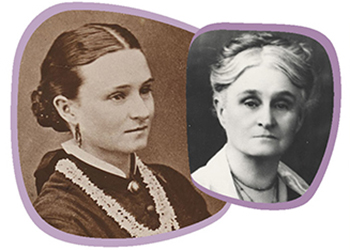
Edith Cowan was the first woman elected to a Parliament in Australia. Download our Edith Cowan factsheet below.
