


After you have registered and logged in to RevenueWAConnect and accessed the Online Services Portal:
- select Land Tax
- select Land tax notices by email.
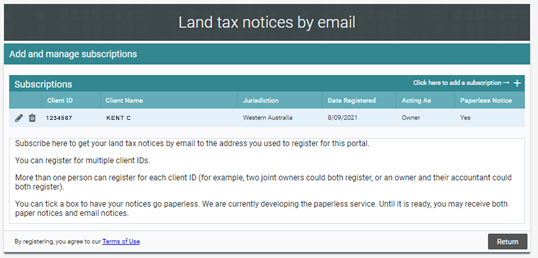
A table on the screen will show your current subscriptions (if any).
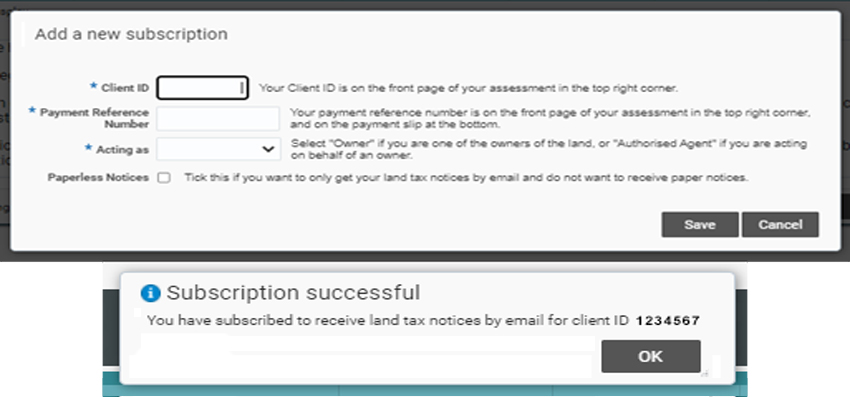
Create a subscription
Show moreClick + in the top right corner of the table.
Provide the Client ID and payment reference number from an assessment notice.
Repeat this process for each Client ID you want to receive notices for.
Edit a subscription
Show moreClick the pencil icon on the left of the row you want to edit.
When editing, you can change:
- whether the Client ID is paperless, or receives both paper and email notices
- whether you are acting as owner or agent for the owner.
End a subscription
Show moreClick the bin icon on the left of the row you want to cancel email notices for.
Download from an email
Show moreWhen you receive the assessment notice via email, you must provide the date of birth of the registered Online Services Portal account holder to download the notice.
